Quick Start(K8S)
This guide covers many concepts and terms that will be encountered during Bika deployment and operation. You can refer to it for the quick deployment of a Bika instance.
Read Architecture and Server Configuration to learn more about the containers, services, and dependencies of self-hosted deployment instances.
Prerequisites
- Kubernetes 1.23+
- Helm 3.8.0+
- PV provisioner support in the underlying infrastructure
- Server with outbound network access to download images from docker.io during deployment
Manual Installation
It is recommended to install in the bika-app namespace.
Install PostgreSQL Operator
Optional: Install separately when enabling the built-in PostgreSQL
kubectl apply --server-side -f https://raw.githubusercontent.com/percona/percona-postgresql-operator/refs/tags/v2.3.1/deploy/bundle.yaml --namespace bika-apppercona-postgresql-operator-bundle.yaml 2292965
If network access is unavailable, download the file first and run the command below:
kubectl apply --server-side -f percona-postgresql-operator-bundle.yaml --namespace bika-appInstall MongoDB Operator
Optional: Install separately when enabling the built-in MongoDB
kubectl apply --server-side -f https://raw.githubusercontent.com/percona/percona-server-mongodb-operator/v1.16.0/deploy/bundle.yaml --namespace bika-appIf network access is unavailable, download the file first and run the command below:
percona-server-mongodb-operator-bundle.yaml 961563
kubectl apply --server-side -f percona-server-mongodb-operator-bundle.yaml --namespace bika-appInstall bika
Install/upgrade the bika-release Helm chart. For self-hosted service configurations, refer to:
Tip: Use the
-n namespaceflag to specify the installation namespace.
helm upgrade --install bika-release oci://registry-1.docker.io/vikadata/bika-helm-chart -n bika-appThese commands deploy Bika to the Kubernetes cluster with default configurations. This section lists configurable parameters during installation.
Custom Configuration
Example file: bika-values.yaml
The system uses email login by default. Please fill in the email sending configuration.
global:
  # -- Replace with the actual storage class (e.g., cbs). Leave empty to use the default storage class.
  storageClass: ""

version: latest

web:
  envFile:
     # -- Replace with custom values
    SYSTEM_EMAIL_PROVIDER: '{"provider": "smtp", "host": "smtp.host.com", "username": "sender@example.com", "password": "xxxxx", "port": 465}'
    SYSTEM_EMAIL_PROVIDER: '{"provider": "smtp", "host": "smtp.host.com", "username": "sender@example.com", "password": "xxxx", "port": 465}'
Usage:
helm upgrade --install -f bika-values.yaml bika-release oci://registry-1.docker.io/vikadata/bika-helm-chart -n bika-appVerify Installation
After installation is complete, check the status of Bika with the following command:
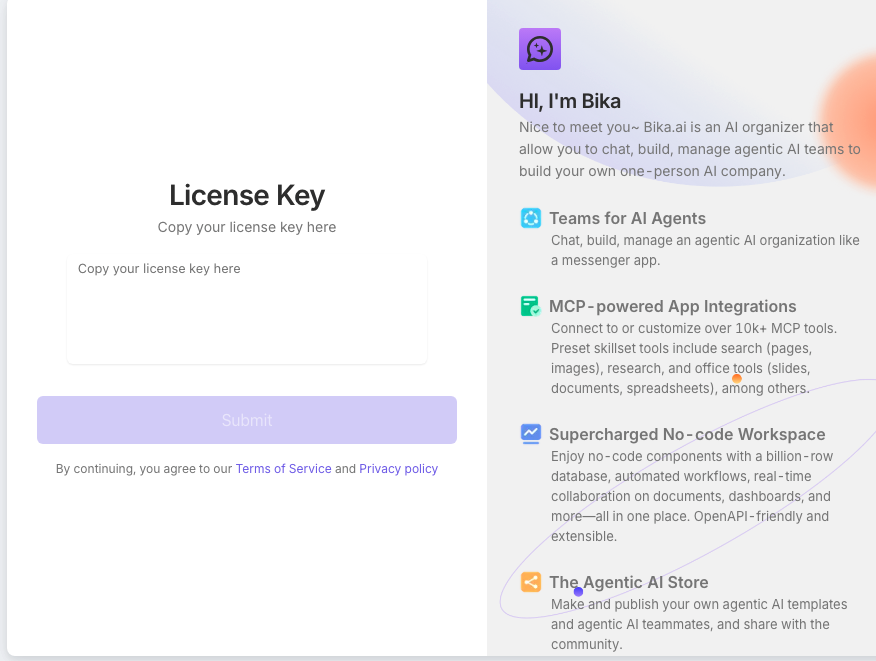
helm status bika -n bika-appAccess the homepage, enter your license, and start using Bika.
Access via the NodePort of the openresty-server.