Quick Start(Docker)
Please ensure the server operating system is clean. If other applications have been deployed on the server before, be sure to uninstall those applications or reinstall the operating system to prevent existing configurations from affecting subsequent deployments.
This guide covers many concepts and terms that will be encountered during Bika deployment and operation. You can refer to it for the quick deployment of a Bika instance.
Read Architecture and Server Configuration to learn more about the containers, services, and dependencies of self-hosted deployment instances.
Online Installation
1. Create a data directory (using a separate hard drive is recommended)
mkdir -p /data && cd /data2. One-click installation
curl -sL https://book.bika.ai/install-bika.sh | bash3. Activate Bika
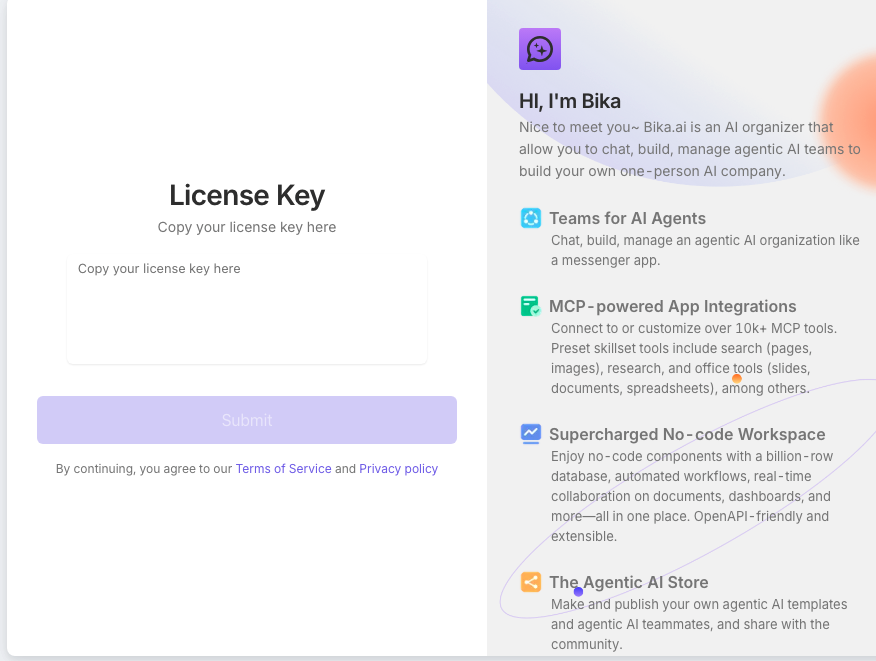
The default port is 80. Access http://<IP_ADDRESS> via a browser.Open the homepage, enter the license, and start using Bika.
Offline Installation
1. Create a data directory (using a separate hard drive is recommended)
mkdir -p /data2. Upload the installation package to the server and decompress it
# docker 版安装包格式 bika-docker-版本号-amd64.tar.gz
wget 'https://download-selfhosted.bika.ai/1.0.0/bika-docker-1.0.0-35-amd64.tar.gz' -O bika.tar.gz
tar -xvzf bika.tar.gz -C /data
3. Execute the one-click installation script
cd /data/bika
bash install.sh
4. Activate Bika
The default port is 80. Access http://<IP_ADDRESS> via a browser.Open the homepage, enter the license, and start using Bika.