GM Commands
Template Center
Pre-conditions
-
Enable Value-Added Configuration Center service(
init-appdata).# Disable appdata template center configuration updates. SKIP_TEMPLATE_CENTER_CONFIG_LOADER=true # Enable tempate space INIT_CONFIG_SPACE_ENABLED=true # Template Space Station main administrator's account credentials, supporting both phone number and email formats. ADMIN_USER_CREDENTIAL=134xxx||xxx@xx.com #(Option)Overwrite the data of the template space station. Suggest to turn on initially and turn off later. MANDATORY_COVERAGE_ENABLED=true -
The user associated with the Authorization is in the
Template Center spacestation. -
Template interface related information can be found in the documentation.
How to publish a Template
- Create a file in the Configuration Center space station or share a file from another space station to the Configuration Center space station.
- Save the target file as a template in the space station and obtain the template ID.
Call the publish API.
Endpoint
**POST** /api/v1/ops/templates/`{templateId}`/publishRequest Headers
| Name | Type | Description |
|---|---|---|
| Authorization | string | Bear token for authentication |
Request Body
| Name | Type | Description |
|---|---|---|
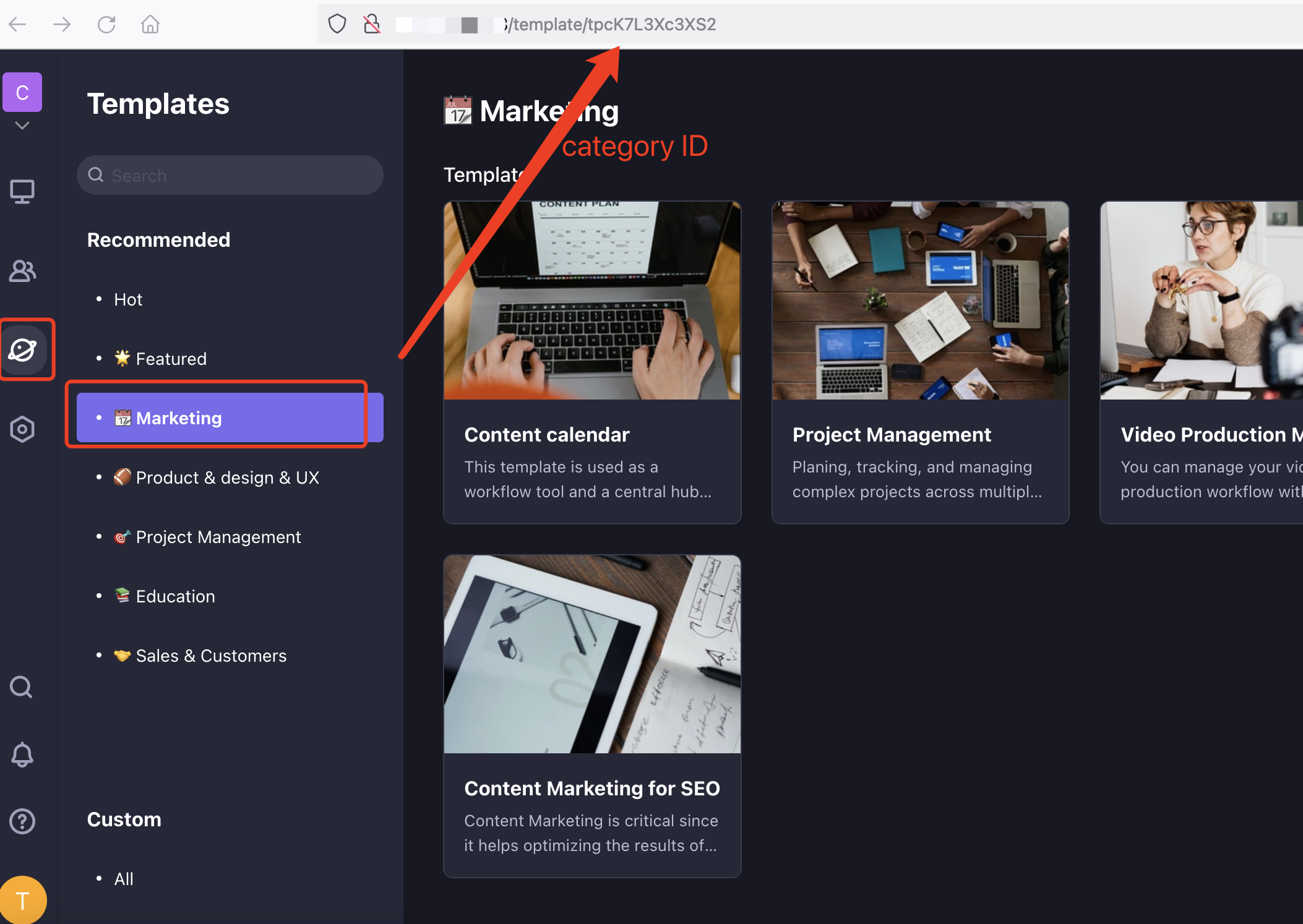
| categoryCode | string | Template category ID. After clicking the corresponding category in the template center, you can see it on the route. |
| index | number | The position of the template in the category, starting from 0. |
Example Request
POST /api/v1/ops/templates/{templateId}/publish
Authorization: Bearer xxxxxxxxxxxxxxxxxxxxxxxxxxxxxxxx
Content-Type: application/json

{
    "categoryCode": "tpcxxx";
    "index": 0;
}
How to unpublish a Template
A template can be published in multiple template categories, so when unpublishing, you can choose to unpublish from some categories or all categories.
- Call the unpublish API.
Endpoint
**POST** /api/v1/ops/templates/`{templateId}`/unpublishRequest Headers
| Name | Type | Description |
|---|---|---|
| Authorization | string | Bear token for authentication |
Request Body
| Name | Type | Description |
|---|---|---|
| categoryCode | string | Template category ID. After clicking the corresponding category in the template center, you can see it on the route. |
Example Request
POST /api/v1/ops/templates/{templateId}/unpublish
Authorization: Bearer xxxxxxxxxxxxxxxxxxxxxxxxxxxxxxxx
Content-Type: application/json

{
  "categoryCode": "tpcxxx"
}
How to unpublish all template
- Call the unpublish API.
Endpoint
**POST** /api/v1/ops/templates/`{templateId}`/unpublishRequest Headers
| Name | Type | Description |
|---|---|---|
| Authorization | string | Bear token for authentication |
Request Body
| Name | Type | Description |
|---|---|---|
| allCategory | boolean | Remove from all template categories, default false; when set to true, it takes priority over the specified category. |
Example Request
POST /api/v1/ops/templates/{templateId}/unpublish
Authorization: Bearer xxxxxxxxxxxxxxxxxxxxxxxxxxxxxxxx
Content-Type: application/json

{
  "allCategory": true
}
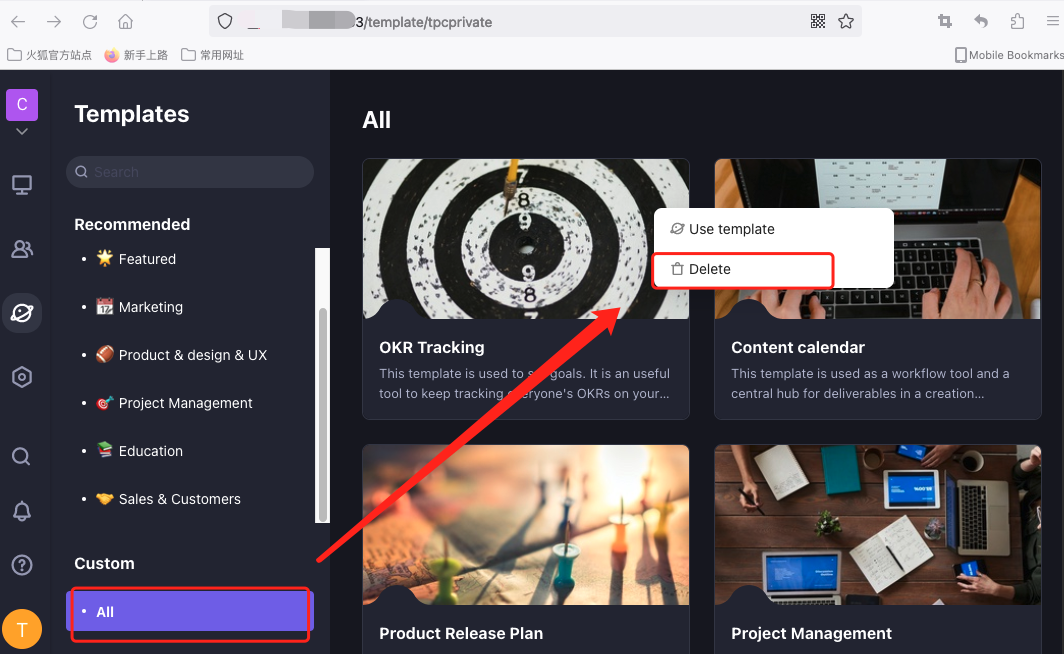
B. Enter the configuration center space station template and delete the corresponding template.
How to create new category
A newly created category without any templates will not appear on the left side of the template center.
Endpoint
**POST** /api/v1/ops/templateCategory/createRequest Headers
| Name | Type | Description |
|---|---|---|
| Authorization | string | Bear token for authentication |
Request Body
| Name | Type | Description |
|---|---|---|
| name | string | category name. |
| i18nName | string | "en_US" or "zh_CN" |
Example Request
POST /api/v1/ops/templateCategory/create
Authorization: Bearer xxxxxxxxxxxxxxxxxxxxxxxxxxxxxxxx
Content-Type: application/json

{
    "name": "category name",
    "i18nName": "zh_CN" // "en_US" or "zh_CN"
}
How to delete category
Endpoint
**DELETE** /api/v1/ops/templateCategories/`{categoryCode}`Request Headers
| Name | Type | Description |
|---|---|---|
| Authorization | string | Bear token for authentication |
Request Body
| Name | Type | Description |
|---|---|---|
| categoryCode | string | Template category ID. After clicking the corresponding category in the template center, you can see it on the route. |
Example Request
delete /api/v1/ops/templateCategories/{categoryCode}
Authorization: Bearer xxxxxxxxxxxxxxxxxxxxxxxxxxxxxxxx
Widgets
Pre-conditions
- The publisher needs GM permissions to perform this action.
- The apitable version needs to be greater than or equal to v0.21.0.
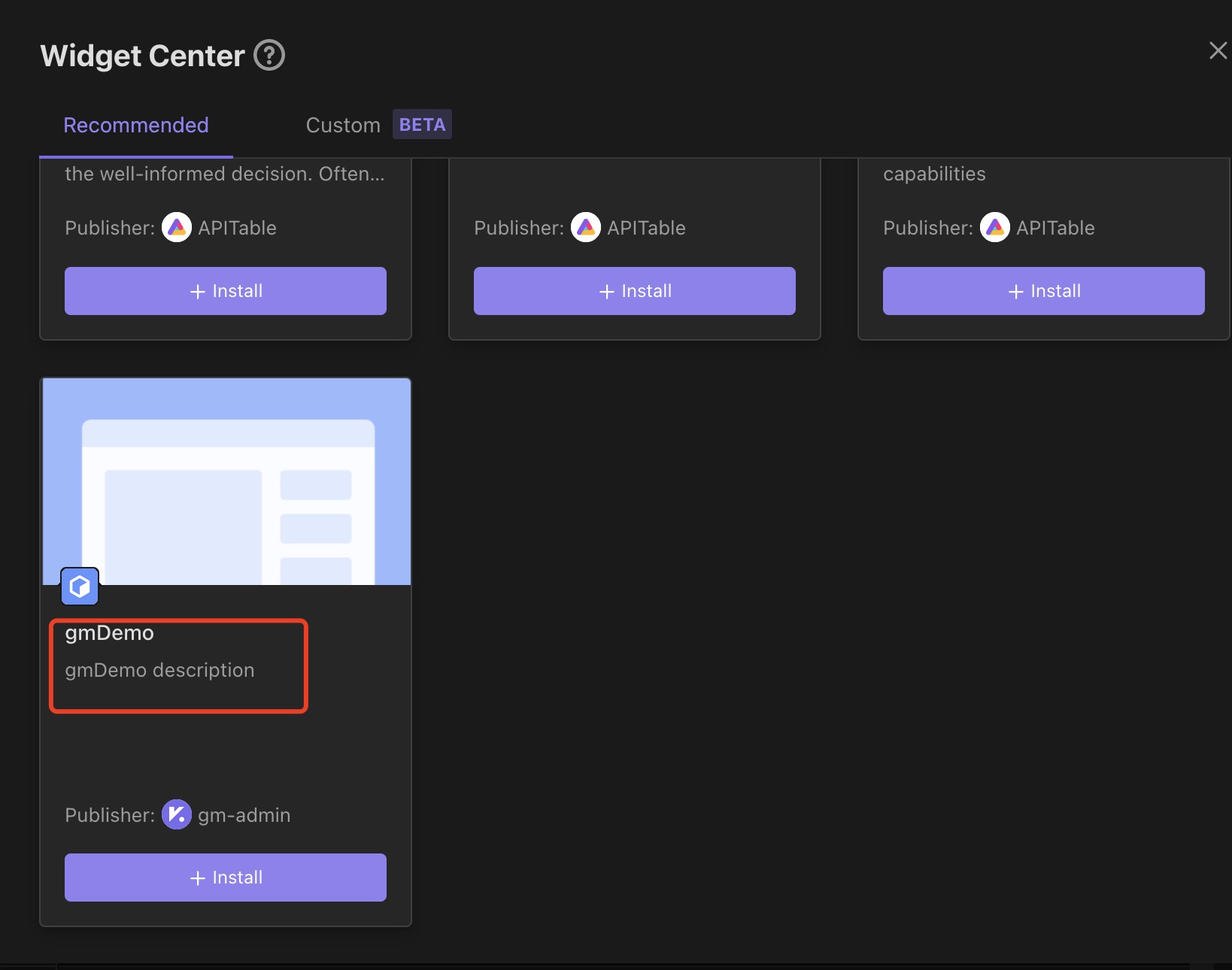
How to release Recommended Official widget?
Refer to the documentation for the preparation work required to publish a widget.
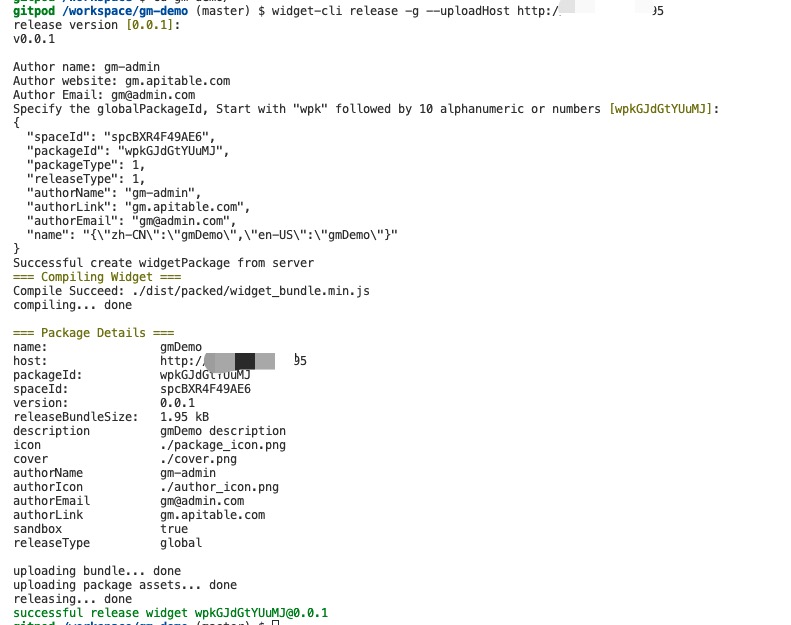
widget-cli release -g

// If you are using the community version or  enterprise version and have not configured an external address for OSS, you need to specify the upload address for the compiled code.
widget-cli release -g --uploadHost <host>
For example:
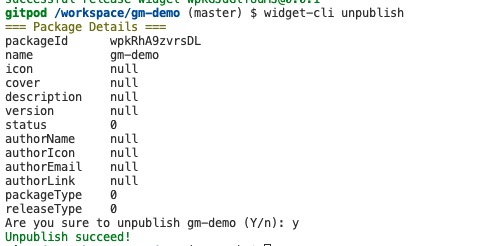
How to unpublish Recommended Official widget?
Can only remove widget published by the author.
# cd widget project
widget-cli unpublish -g
For example:
Q&A
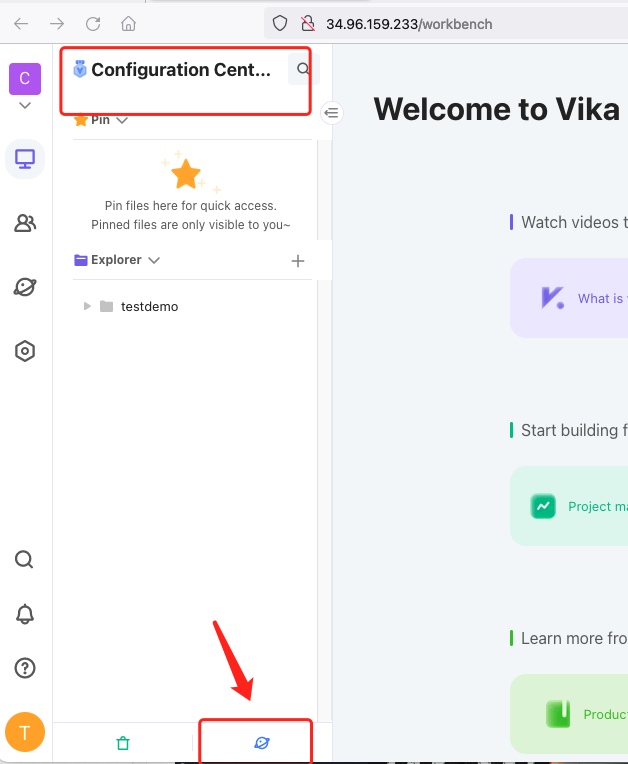
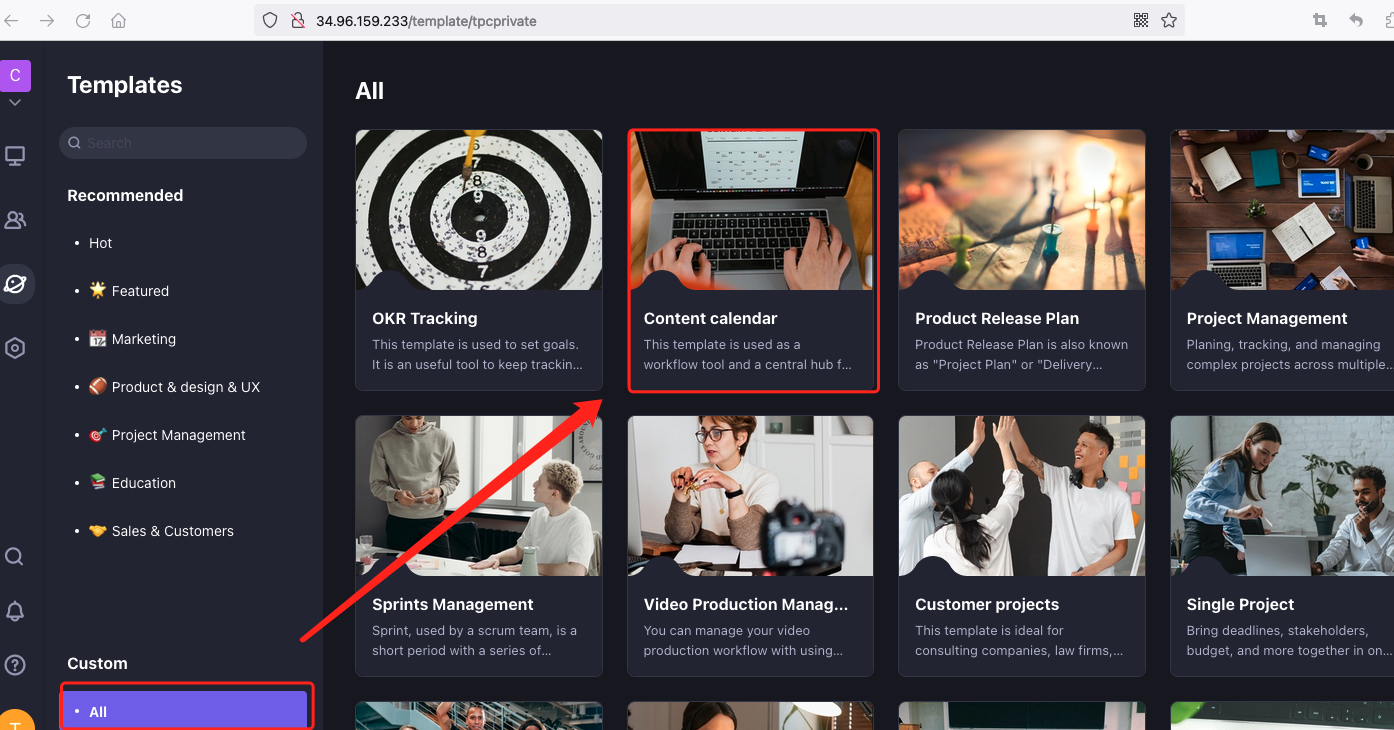
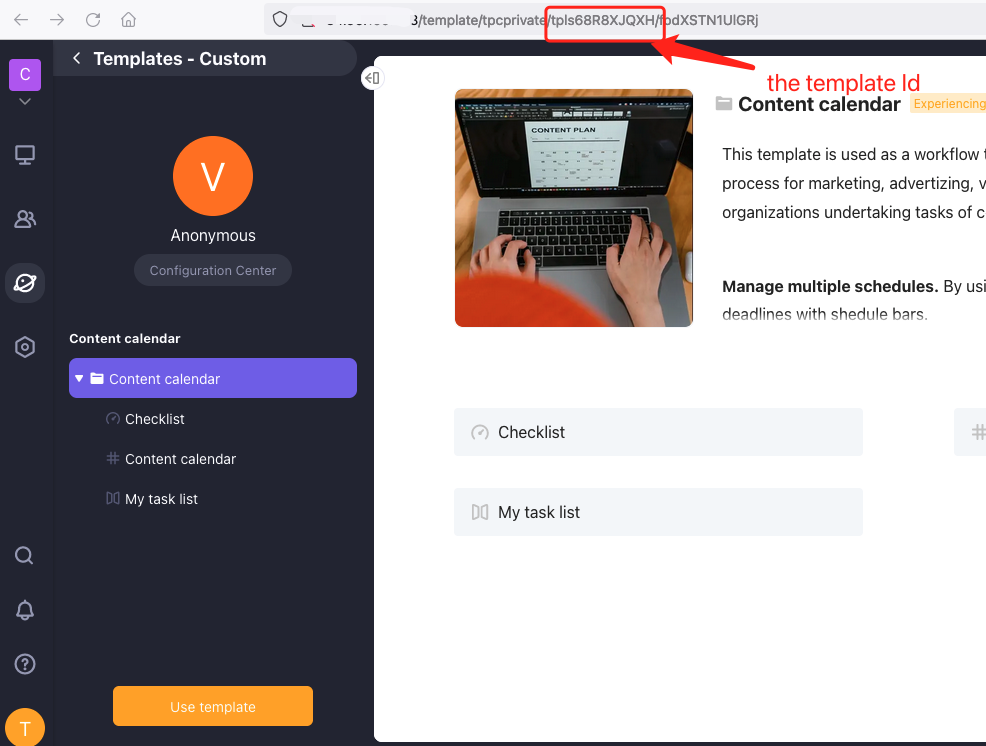
Q1: How to get the template ID ?
A: Follow the steps below to obtain the ID from the URL
- Enter the 'Template Management/Configuration Center' space station template.
- Click to view the corresponding template.
- Retrieve the template ID starting with 'tpl' from the route.
for example:
Q2: How to get the template category ID
A: Follow the steps below to obtain the ID from the URL
- Enter the template center.
- Click on the corresponding template category.
- Retrieve the template category ID starting with 'tpc' from the route.